How to Connect DateHog to Claude.ai
Follow these 5 visual steps to connect DateHog directly into Claude. Once connected, paste any purchase agreement or contract clause to get instant Washington 9:00 PM deadline calculations, 1-click Google Calendar sync, and client SMS milestone portals.
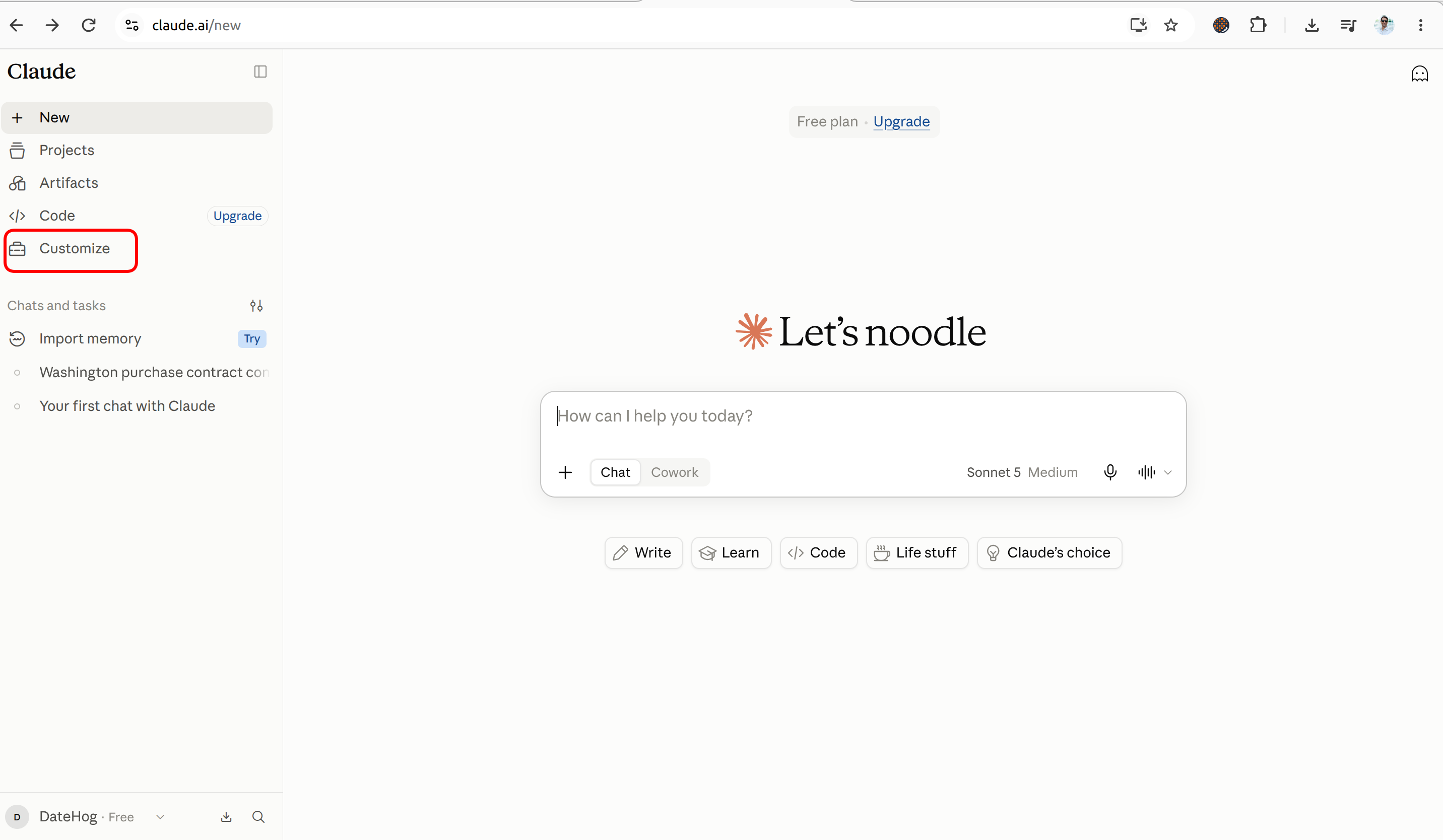
Click "Customize" in Claude's Sidebar
Open Claude.ai on your desktop browser. Look at the bottom-left sidebar and click Customize.
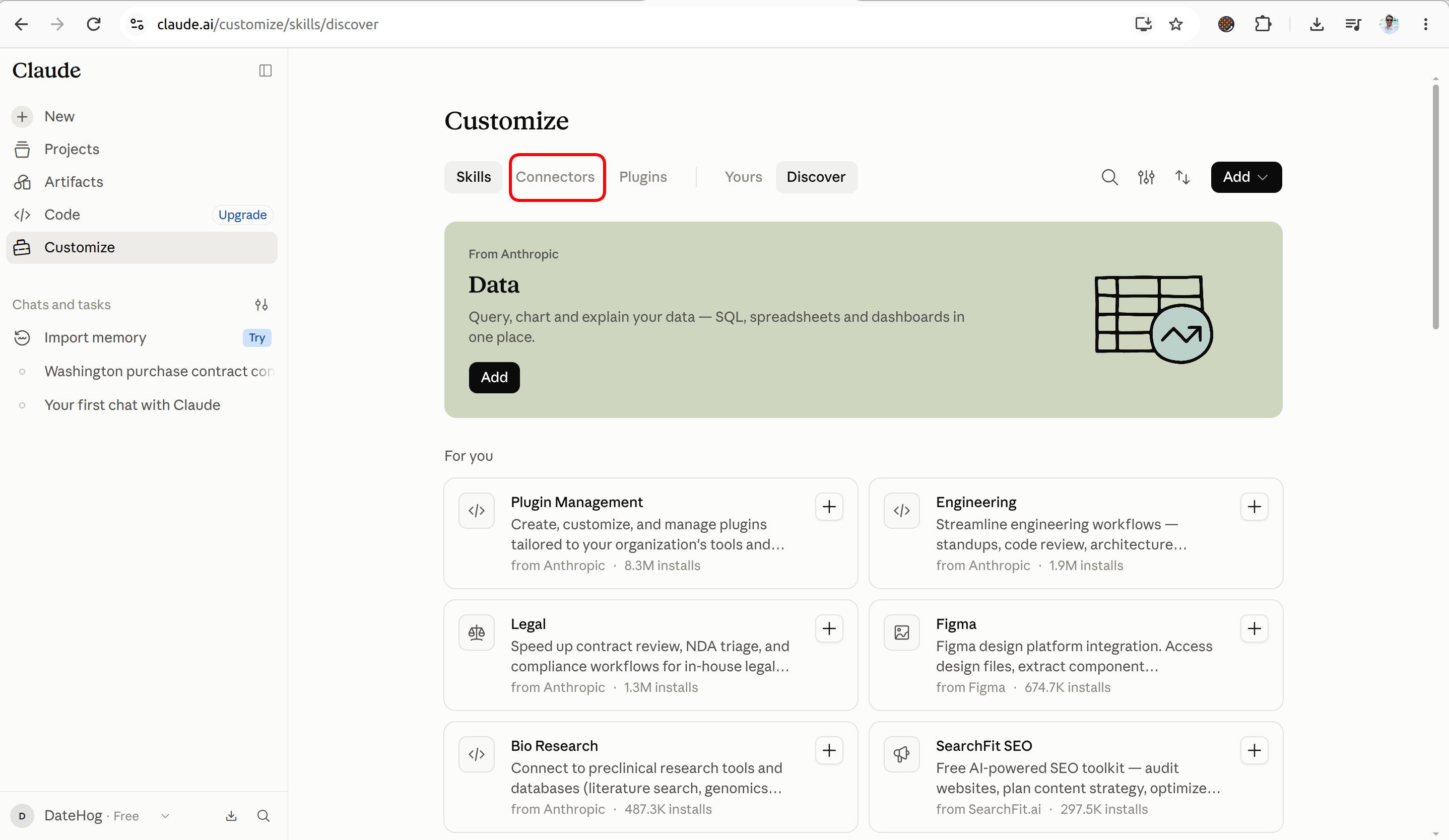
Go to the "Connectors" Tab
Inside the Customize screen, click the Connectors tab, then click the "+ Add custom connector" button.
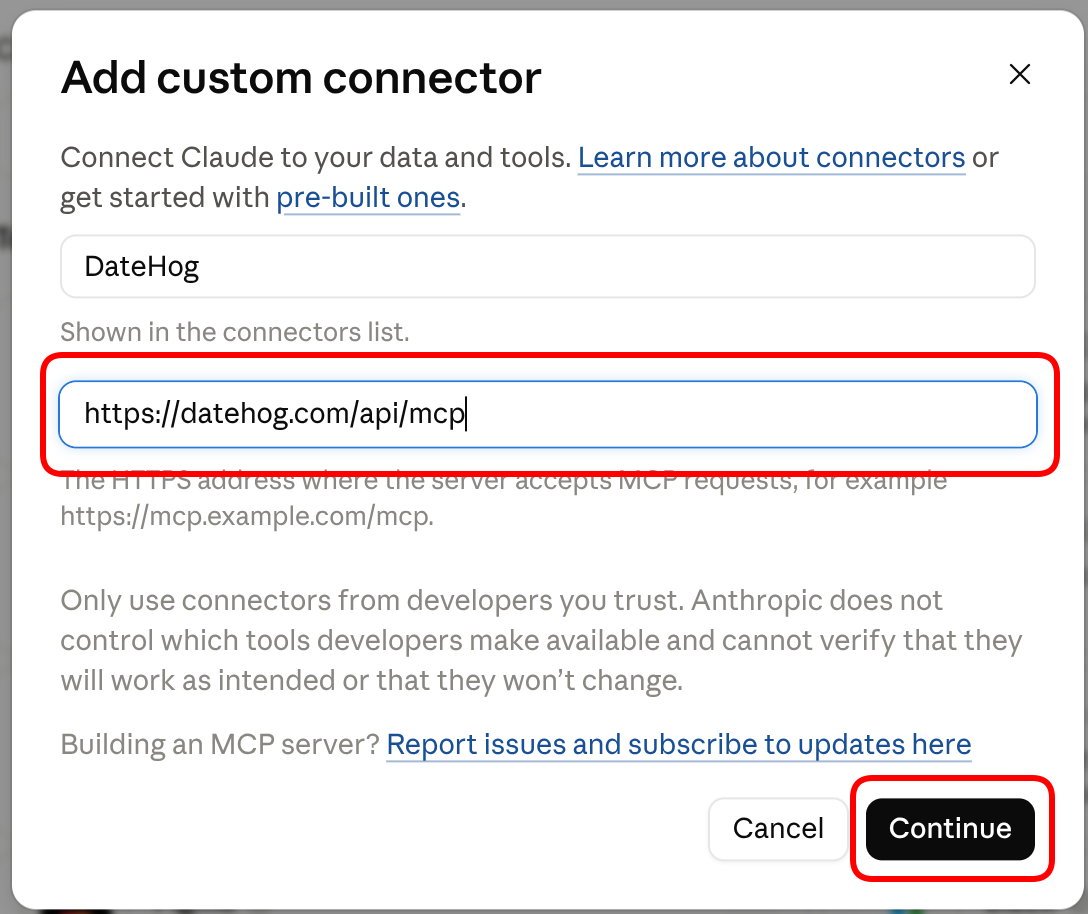
Enter DateHog Name & Server URL
Type DateHog in the Name field, paste the connector URL below, and click Continue.
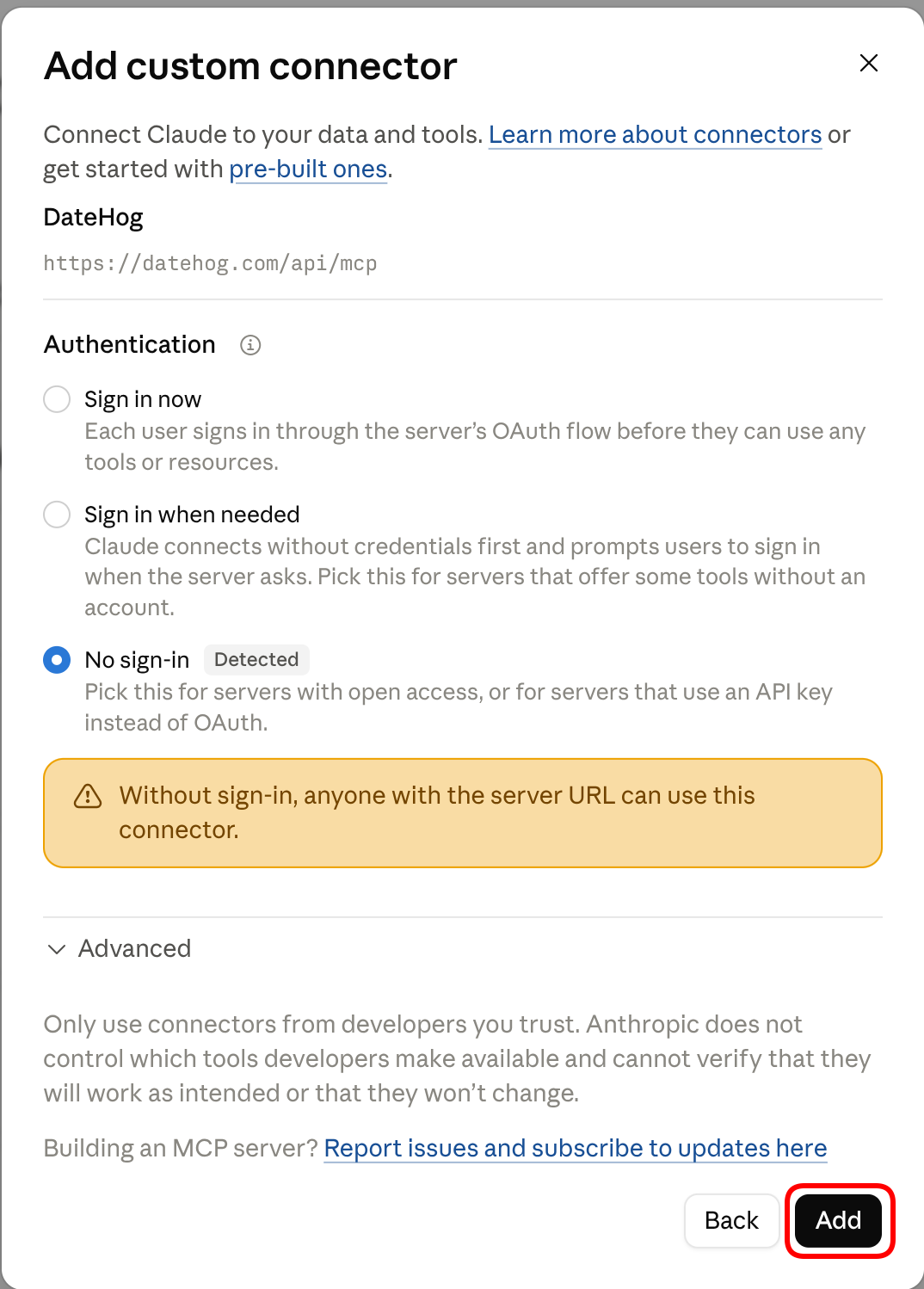
Keep "No sign-in (Detected)" & Click Add
Leave authentication set to "No sign-in (Detected)" for instant zero-password setup, and click the Add button in the bottom right. (You'll sign in in 1-click only when you sync your Google Calendar!).
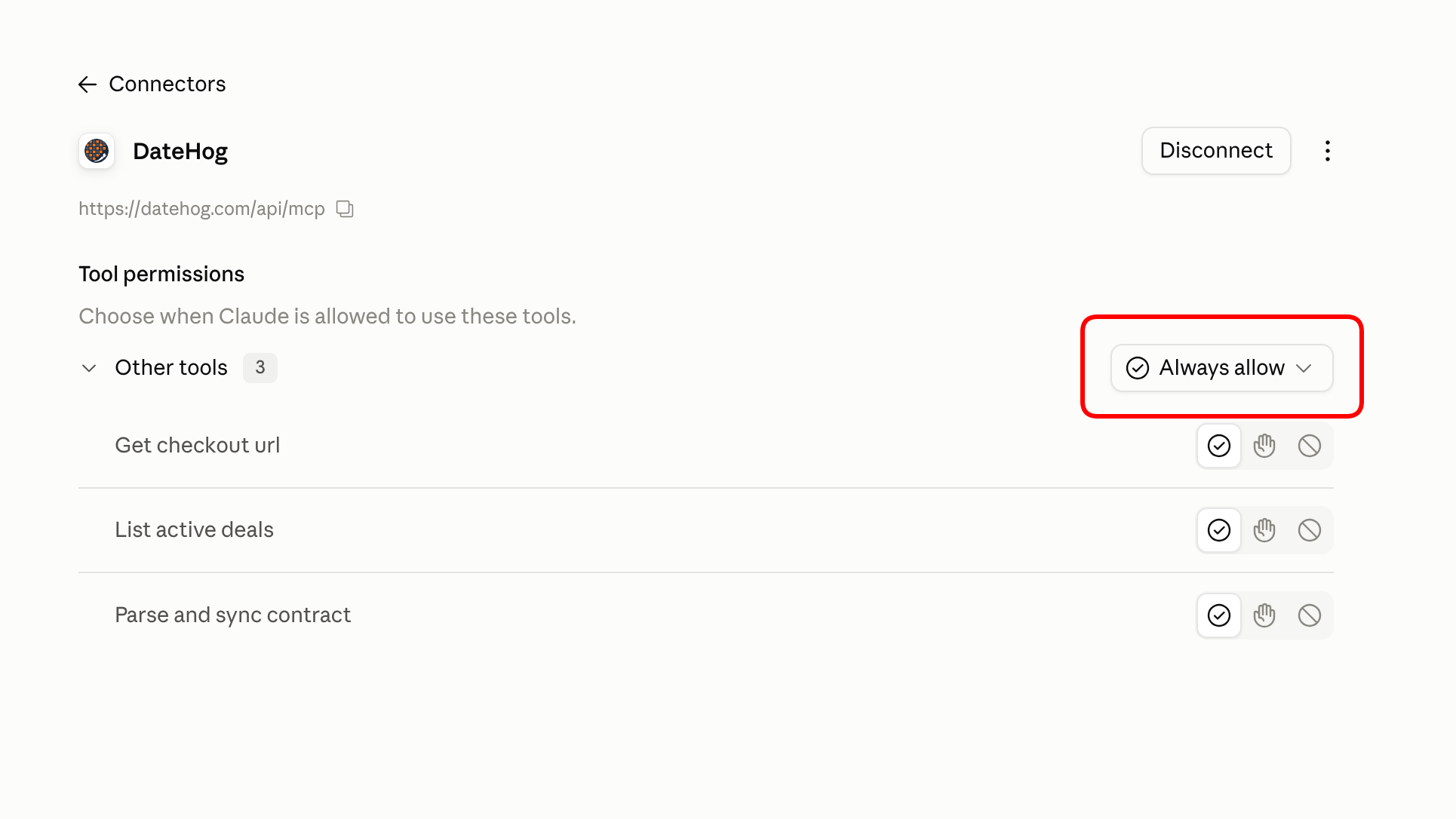
Set Tool Permissions to "Always allow"
Click on DateHog in your Connectors list. Under Tool permissions, change the dropdown to "Always allow". This lets DateHog calculate dates seamlessly without asking for confirmation every prompt.
You're All Set! Try Your First Contract
Test your new DateHog connector in Claude using either our pre-made sample contract PDF or a quick text prompt:
Option 1: Upload Sample Purchase Agreement (PDF)
Download this realistic Washington Form 21 Purchase & Sale Agreement (includes mutual acceptance date, earnest money, inspection, and financing contingencies):
Extract all contingency deadlines from this purchase agreement and calculate escrow milestones with DateHog.
Option 2: Test with a Quick Text Prompt (No file needed)
Don't want to download a file right now? Just copy this text prompt and paste it into Claude:
Calculate escrow contingency dates for 4821 38th Ave SW, Seattle WA with mutual acceptance today, 10-day inspection contingency, and 3 business days earnest money deposit using DateHog.
🎯 What DateHog Automatically Delivers in Claude:
- Washington 9:00 PM PST Cutoff calculated with legal business day & weekend rollover rules (NWMLS Form 21, Section W).
- 🟢 1-Click Google Calendar Sync — Claude provides an instant link to sync all deadlines to your calendar.
- 🔒 1-Click Sign-In at Sync: Zero password setup in Claude. Simply click the sync link in chat to sign in with Google in 1 click and claim the deal directly into your Broker Dashboard.
- 📱 Live Client Milestone Portal with pre-formatted email invite ready to send to your buyer/seller.
- TCPA-Compliant SMS Alerts — Allows clients to opt in for 24-hour reminder texts before key contingency expirations.